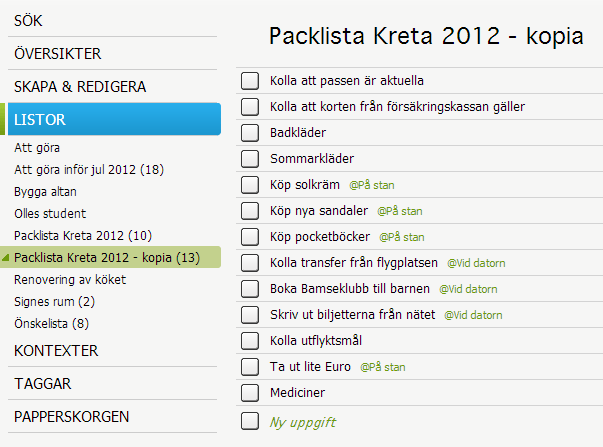
Copy list Reuse the checklist or packing list
Copying lists is a quick and efficient way to reuse information. If you want to copy a sub list, first zoom to the correct list level and then “Copy list” from the list heading menu.
The function is useful in many different areas and can save much time. For example, there are many recurring tasks at work that can be entered into a checklist such as one-to-ones with associates, exhibitions, market releases and product development projects. If you have your template checklists stored in SaveYourDay can you keep them updated easily.
All tasks in the copied lists are copied including completed tasks. Context, tags and deadlines are not copied.
Example
Copy checklist for bookkeeping
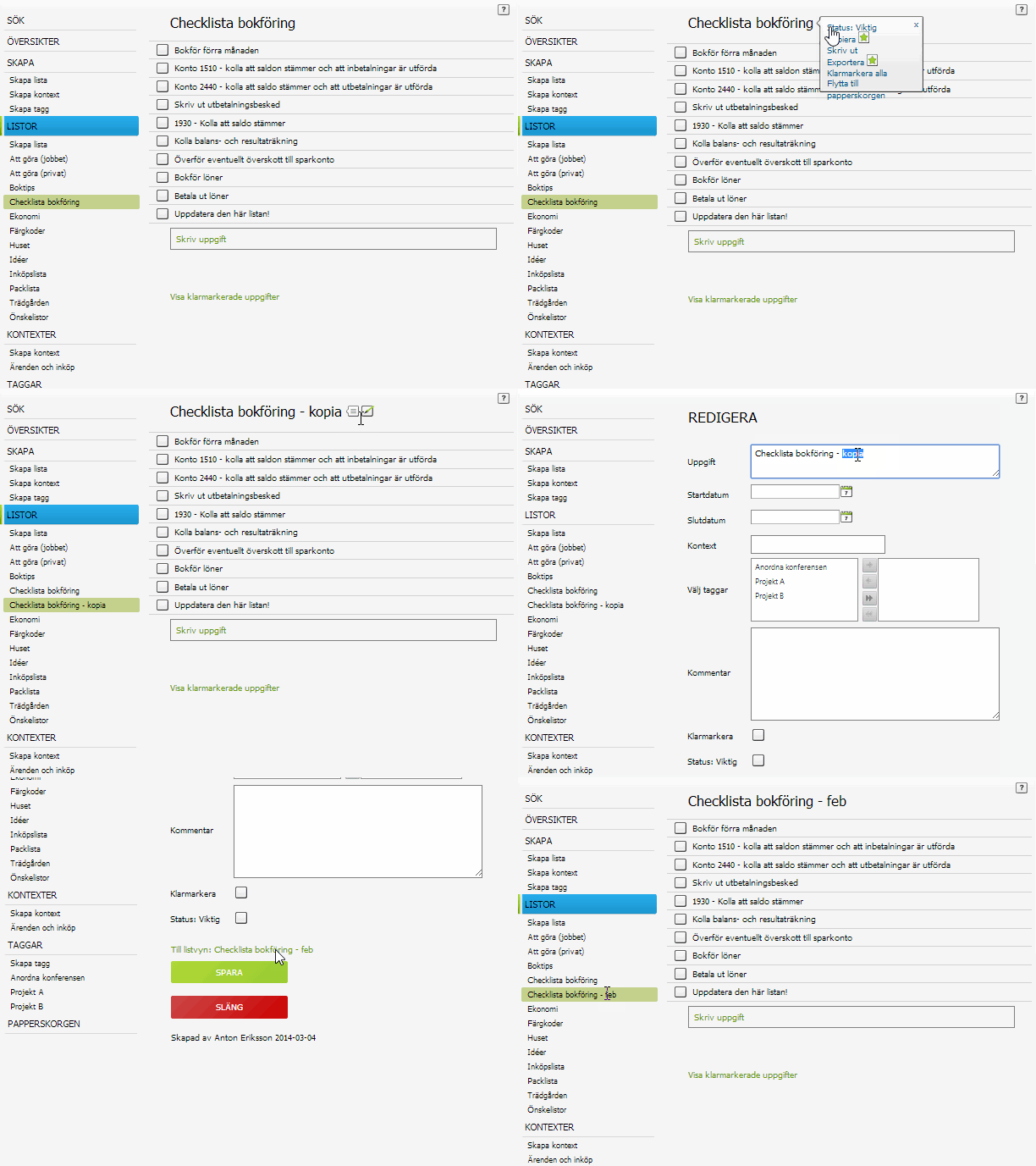
Step by step instruction
Click the edit icon  and select “Copy list”. The function will copy the list and open the new list with the same name as the original list but the appendix “copy”. Click the edit icon to to change list name. Now you can change the copied list as with any other list.
Exemple
Copy packing list
Make use of the packing list from last year’s trip. Then you do not need to find the old hand written list. Make instead a copy of the list from last year and make the changes you need.