

Shortcuts Define list, context and tags when entering the task
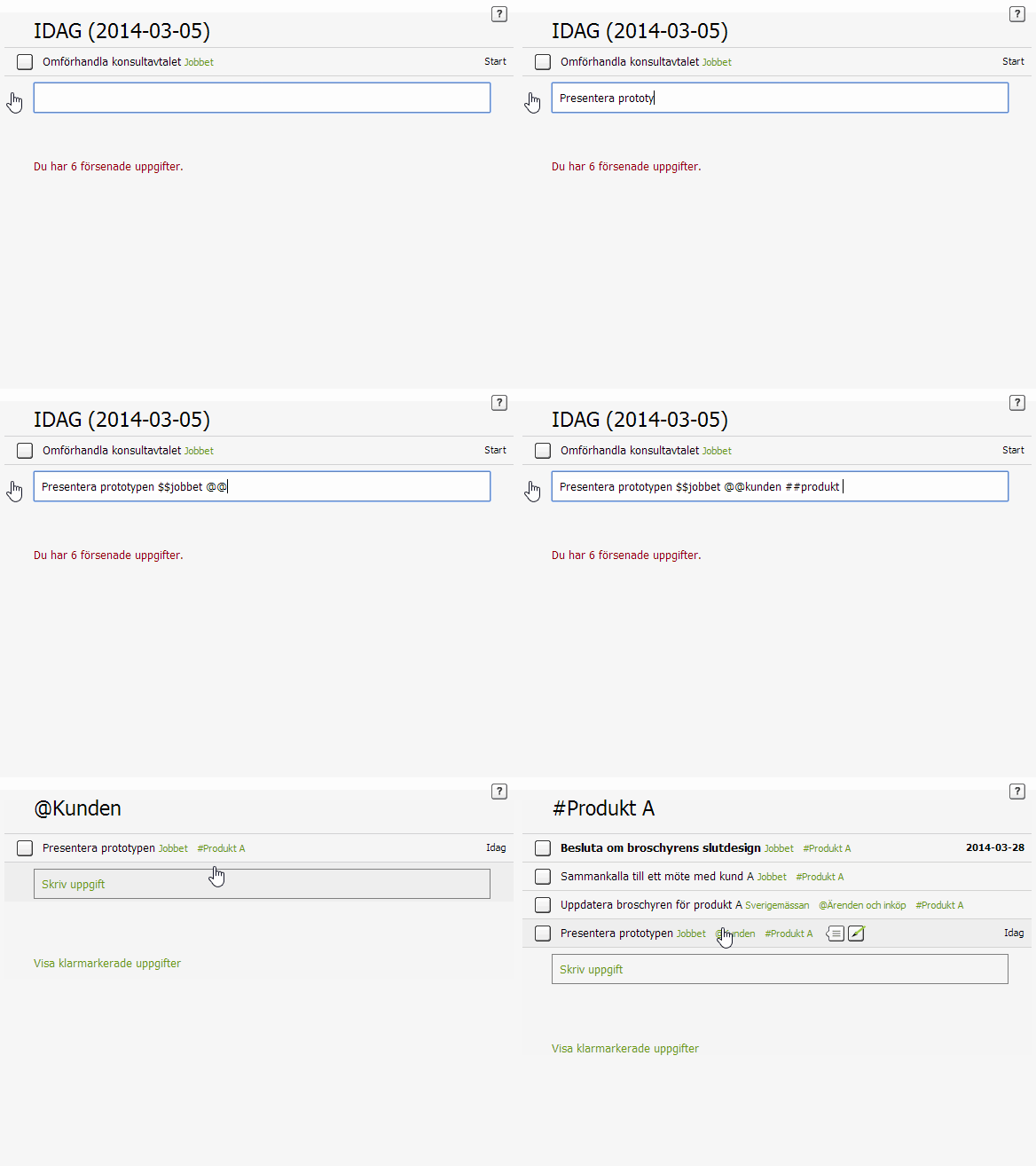
Use shortcuts to define which list, context and tags a task shall have already when you create it.
 Tip!
Tip! Use simple names on your most used lists. You can for example change name on your “To-do-list” to “Todo”
Step-by-step instruction:
- List - Write $$list to define the list the task belongs to. In case you do not define a list, the task will be created in the inbox. The list names are not case sensitive. In case the list does not exist, or if you misspell, a new list will be created.
- Context - Write @@context to define the context the task belongs to.
- Tags – Write ##tag to define the tag the task belongs to.
NB! SaveYourDay can presently only handle contexts or tags that already exists.
Example
Short cuts (Swedish)
Define list, context and tags when emailing tasks
When you add tasks using email, you can always define the list, context and tags in the subject line.
Create account